How to Handle Phone Battery Swelling: A Safety-First Guide for Repair Shops
9/5/2026· 5 min read
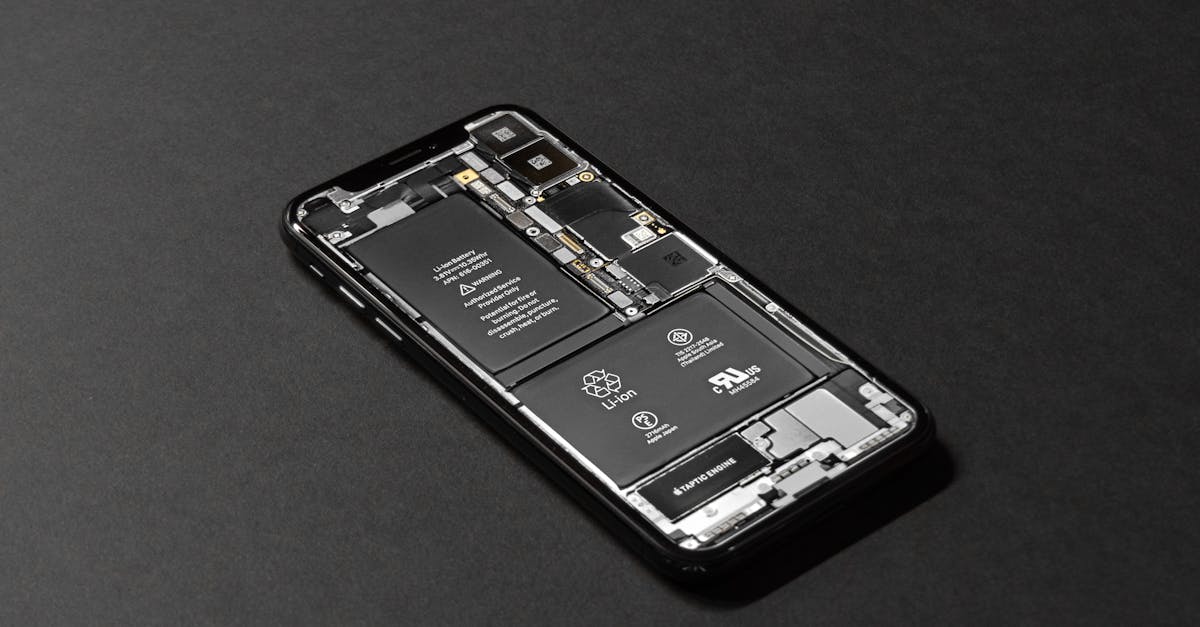
A swollen battery is one of the most dangerous issues a phone repair shop can encounter. It's not just a tricky repair—it's a safety hazard that can damage your shop, injure your staff, and even start a fire. This guide will walk you through safe handling, diagnosis, and repair procedures so you can protect your team and customers while turning a risky situation into a professional service.
Process overview
Why Phone Batteries Swell
Lithium-ion batteries swell when the internal cell is compromised. This can happen due to physical damage, manufacturing defects, overcharging, or simply old age. When the battery's internal structure fails, gas builds up inside the sealed casing, causing it to expand. In severe cases, the battery can rupture, leading to a chemical fire.
Safety First: What to Do Before You Touch a Swollen Battery
If a customer brings in a phone with a swollen battery, your first priority is safety. Here's what to do:
- Isolate the device: Place it in a fireproof container or a designated safety area away from flammable materials.
- Power it down: If the phone is on, turn it off immediately. Do not attempt to charge it.
- Wear protective gear: Use safety glasses and nitrile gloves. If you have a fume extractor, use it.
- Do not puncture: Never poke, bend, or try to release the gas. This can cause a violent reaction.
- Keep a Class D fire extinguisher nearby: Standard extinguishers may not work on lithium fires.
Step-by-Step Diagnosis for a Swollen Battery
Before you open the phone, confirm the battery is indeed the cause. Follow these steps:
- Visual inspection: Look for a bulging screen, a lifted back panel, or a distorted frame. These are common signs.
- Check for other issues: Sometimes a swollen battery is mistaken for a damaged screen or a bent frame. Use a flashlight to inspect the gap between the screen and body.
- Ask the customer: Did the phone get dropped or exposed to extreme heat? When did they first notice the swelling?
- Use diagnostic tools: If you have a battery health tester, check the voltage. A swollen battery often reads below normal voltage.
Safe Removal and Disposal
Once you've confirmed the battery is swollen, follow these steps to remove it safely:
- Work in a ventilated area: Open a window or use a fume hood to avoid inhaling any toxic gases.
- Remove the screen or back panel carefully: Use plastic tools to avoid scratching or puncturing the battery.
- Loosen the adhesive: Apply gentle heat to soften the adhesive, but never use a sharp object to pry the battery out.
- Lift the battery gently: Use a plastic spudger or your fingers. If it's stuck, apply more heat, but never force it.
- Place the battery in a fireproof bag: Use a lithium-ion battery disposal bag or a metal container lined with sand.
Disposal and Recycling Options
Proper disposal is not just good practice—it's often required by law. Here are your options:
- Find a certified e-waste recycler: Many cities have drop-off points for hazardous batteries.
- Use a battery recycling program: Some manufacturers and retailers offer mail-in programs.
- Never throw swollen batteries in the trash: They can start fires in landfills or recycling trucks.
What to Tell the Customer
When you explain the situation to the customer, be clear and reassuring:
- Explain the danger: Let them know the battery is a safety risk and must be replaced.
- Quote the repair: Include the cost of a new battery and any additional parts (like a new back glass if it was damaged).
- Offer data recovery: If the phone is still functional, offer to back up their data before the repair.
Preventing Future Swelling in Your Shop
You can reduce the risk of swollen batteries by following these practices:
- Use quality parts: Cheap, counterfeit batteries are more likely to swell.
- Train your technicians: Make sure everyone knows the signs and safe handling procedures.
- Inspect batteries during every repair: Even if the customer didn't mention swelling, check for any bulging or distortion.
- Store batteries properly: Keep them at room temperature, away from heat sources and direct sunlight.
Building a Swollen Battery Service
Handling swollen batteries can be a revenue opportunity. Many shops offer a "battery health check" as a free service, which can lead to paid replacements. By positioning your shop as a safe and professional place to handle this issue, you build trust with customers who might otherwise try to fix it themselves.
Final Thoughts
Swollen batteries are serious, but with the right procedures, you can handle them safely and profitably. Make sure your shop has a clear protocol, the right safety equipment, and a reliable parts supplier. Your customers will appreciate your expertise, and your team will stay safe.
Photo: Tyler Lastovich / Pexels
Get repair-shop growth tips in your inbox
Practical guides on pricing, workflow and getting paid. No spam — unsubscribe anytime.