How to Handle a Phone That Won't Connect to Bluetooth: Step-by-Step Diagnosis for Repair Shops
8/24/2026· 3 min read

Bluetooth connectivity issues are a common reason customers walk into a repair shop. A phone that won't pair or keeps dropping connections can be frustrating, but it's often fixable with a systematic approach. This guide walks you through a step-by-step diagnosis to identify the root cause and get your customer's device back on track.
Process overview
Start with the Basics
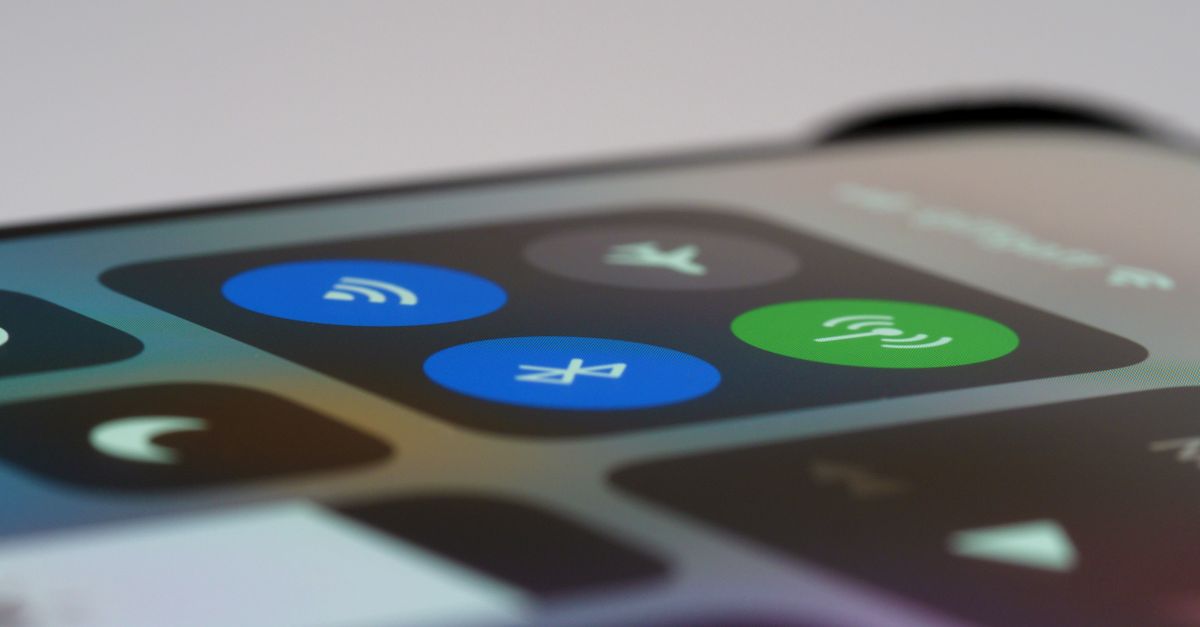
Before opening the phone, rule out the simple stuff. Ask the customer a few questions and run quick checks:
- Is Bluetooth toggled on in Settings?
- Is the phone in Airplane Mode?
- Has the customer tried restarting the phone?
- Is the target device (e.g., car, speaker) in pairing mode and within range?
- Are there too many paired devices? Some phones have a limit.
These steps sound obvious, but they resolve a surprising number of cases. Document what you find on the repair ticket.
Check Software and Settings
If the basics check out, move to software-level diagnostics:
- Forget and re-pair the problematic device.
- Reset network settings (Settings > General > Reset > Reset Network Settings). This clears Wi-Fi, cellular, and Bluetooth configurations.
- Update the OS to the latest version—many Bluetooth bugs are fixed in updates.
- Check for third-party apps that might interfere with Bluetooth (e.g., battery savers, automation apps).
If the issue persists after a network settings reset, it's likely a hardware problem.
Run a Diagnostic Test
Use a reliable diagnostic tool to test the Bluetooth module. A good diagnostic can check the antenna, radio, and software stack. For example, RagoxCell's built-in diagnostic suite includes over 150 tests that can help you pinpoint Bluetooth failures quickly.
If the diagnostic shows the Bluetooth radio is not responding, you're likely dealing with a hardware issue.
Inspect the Hardware
When software is ruled out, open the device and inspect:
- Antenna flex cable: Look for loose connections, tears, or corrosion.
- Bluetooth module: Check for physical damage or water damage indicators.
- Shielding: Ensure metal shields are properly seated—they can interfere with signal if loose.
Use a magnifier and good lighting. Even a slightly disconnected antenna can cause intermittent Bluetooth.
Common Fixes for Bluetooth Issues
Depending on what you find, here are typical repairs:
- Reseat or replace the antenna flex cable—this is often the culprit.
- Replace the Bluetooth/Wi-Fi combo chip if the module is dead (requires micro-soldering skills).
- Clean corrosion from water damage with isopropyl alcohol and a brush.
Always test the phone thoroughly after any repair. Pair it with at least two different devices (e.g., a speaker and a car stereo) to confirm the fix.
When to Recommend Replacement
If the Bluetooth chip is integrated into the main board and the cost of micro-soldering exceeds the phone's value, advise the customer on replacement options. Be transparent about costs and alternatives.
Prevent Future Issues
Educate your customers on simple habits:
- Avoid dropping the phone or exposing it to moisture.
- Keep the OS updated.
- Unpair unused devices to reduce clutter.
By following this systematic approach, you'll resolve most Bluetooth problems efficiently and build trust with your customers.
Photo: Tima Miroshnichenko / Pexels
Get repair-shop growth tips in your inbox
Practical guides on pricing, workflow and getting paid. No spam — unsubscribe anytime.