How to Handle a Phone with a Broken Charging Port: Step-by-Step Diagnosis for Repair Shops
9/26/2026· 4 min read
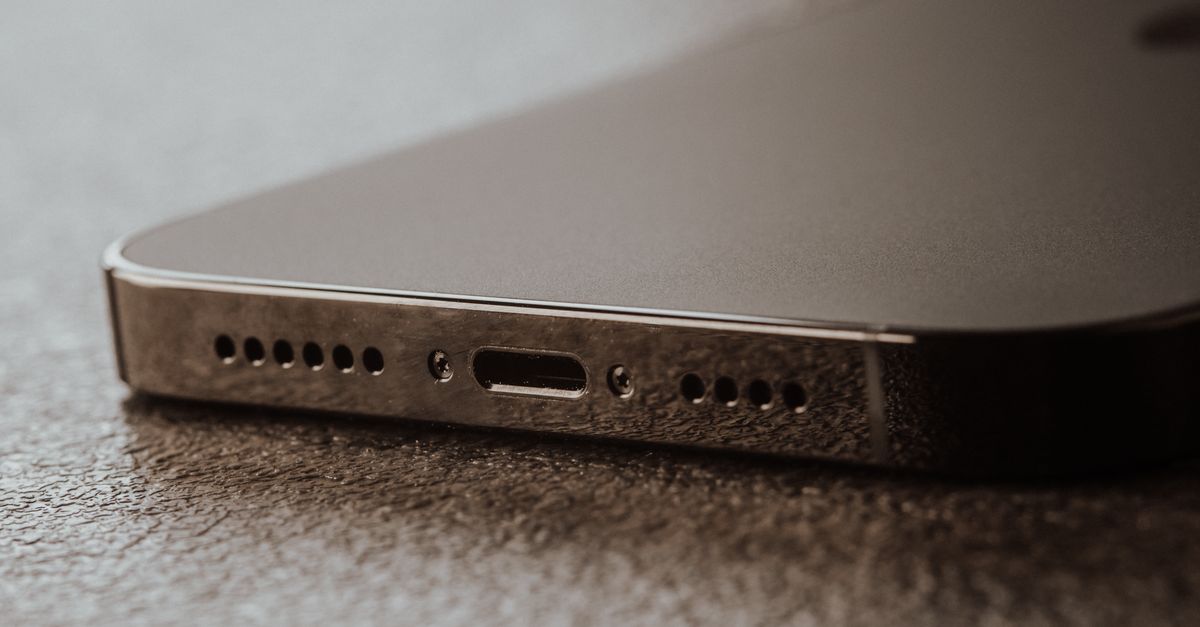
A phone that only charges at a certain angle, or not at all, is one of the most common walk-ins at any repair shop — and one of the easiest to misdiagnose. This guide walks through a repeatable charging port diagnosis so you quote the right repair the first time.
Process overview
Start With the Customer Interview
Before you touch a screwdriver, get the story straight. The symptoms point to very different fixes:
- "It only charges if I hold the cable a certain way" — usually lint, a worn port, or a loose cable connector.
- "It stopped after it got wet" — corrosion on the port pins or the charging IC.
- "It charges but very slowly" — wrong charger, damaged cable, or a battery/board issue.
- "It doesn't charge at all and won't turn on" — could be the port, the battery, or the board.
Ask what cable and brick they use, whether the phone has been dropped or exposed to moisture, and whether the issue appeared suddenly or gradually. Write it on the ticket — it protects you if the customer disputes the diagnosis later.
Rule Out the Cheap Stuff First
Most "dead port" tickets are not dead ports. Check these before quoting a port replacement:
- Try a known-good cable and charger. Test with your own bench cable, not the customer's.
- Inspect the port with a light and magnifier. Lint, pocket fuzz, and bent pins are extremely common, especially on phones carried in pockets.
- Clean the port carefully. Use a plastic or wooden pick — never metal, and never a blast of compressed air that drives debris deeper. A wooden toothpick and isopropyl alcohol on a lint-free swab works well.
- Test charging again after cleaning. If it now charges reliably, you just saved the customer a repair and earned trust.
Test the Cable, the Port, and the Board Separately
If cleaning doesn't fix it, isolate the fault:
- Cable test: Does the phone charge with a different cable in the same port? If yes, the port is fine.
- Orientation test: On USB-C, does it charge one way but not flipped? That points to damaged pins on one side of the port.
- Wireless charging test: If the phone charges wirelessly but not by cable, the port or its flex is the likely culprit — the charging circuit itself works.
- Computer recognition: Plug into a computer. If the phone is recognized but won't charge, the data lines work and the issue may be power-path related.
- Board-level check: If a new port still doesn't charge, the fault may be the charging IC, a fuse, or a damaged trace. That's a board-level job — quote it separately and set expectations.
Quote the Repair Honestly
Charging port repairs vary widely in labor. A port cleaning is minutes; a soldered port replacement or board-level repair is a different tier of work entirely. Explain which one the customer needs and why, and note on the ticket that board-level repair carries different warranty terms than a simple port swap.
Also flag anything you find along the way — a swollen battery, water damage indicators, or a cracked frame — before you start, not after. Surprise findings are the number one source of disputes.
Document Everything on the Ticket
A clean charging port ticket should include:
- The customer's reported symptoms in their own words
- What you tested (cables, orientation, wireless, computer)
- What you found (lint, corrosion, bent pins, board fault)
- The quoted repair and the customer's approval
- Before/after charging behavior
That record is what lets you defend the invoice, handle a warranty claim, and train a new technician on the same process.
Build It Into Your Shop Workflow
Charging port tickets are repetitive, which makes them perfect for a standard operating procedure. A consistent intake, diagnosis, and quote flow means faster turnarounds and fewer comebacks — and when the diagnosis lives in your repair management system instead of a technician's memory, anyone on your team can pick up the job.
Photo: Masood Aslami / Pexels
Get repair-shop growth tips in your inbox
Practical guides on pricing, workflow and getting paid. No spam — unsubscribe anytime.
