How to Handle a Laptop That Won't Turn On: Step-by-Step Diagnosis for Repair Shops
9/30/2026· 4 min read
Laptops are the highest-ticket devices that walk through most repair shop doors, and "it won't turn on" is the single most common reason they arrive. A structured intake and diagnostic path keeps you from wasting bench time and helps you quote confidently instead of guessing.
Process overview
Start with the intake interview, not the screwdriver
Before you open anything, get the story. The answer changes your entire diagnostic path:
- What happened right before it died? A spill, a drop, a power surge, or nothing at all.
- Any lights, fans, or beeps when you press power? Charge LED, keyboard backlight, fan spin, or a black screen with a spinning fan all point to different faults.
- Was it charging normally? Ask about the charger, the cable, and whether the port feels loose.
- Has anyone else opened it? Prior repairs mean stripped screws, missing shields, and unknown parts.
Document the device condition with photos at intake — existing dents, cracked hinges, and screen scratches. This protects you from damage disputes later and takes thirty seconds.
Rule out the cheap stuff first
Most no-power laptops are not board-level failures. Work through these before you commit to a teardown:
- Charger and cable. Test with a known-good OEM charger of the correct wattage. Underpowered USB-C chargers cause plenty of false "dead laptop" tickets.
- Charge port and DC jack. Wiggle test, inspect for bent pins, debris, or a cracked solder joint.
- Battery. A fully drained or failed battery can present as completely dead. Many models will not boot on a dead battery even with a charger connected.
- Hard reset. Disconnect power and battery (or use the pinhole reset), hold the power button for 15–30 seconds, then retry.
- External display. If the machine powers on but shows nothing, plug into an external monitor. A picture there means the panel or display cable is the problem, not the board.
Move to bench diagnostics
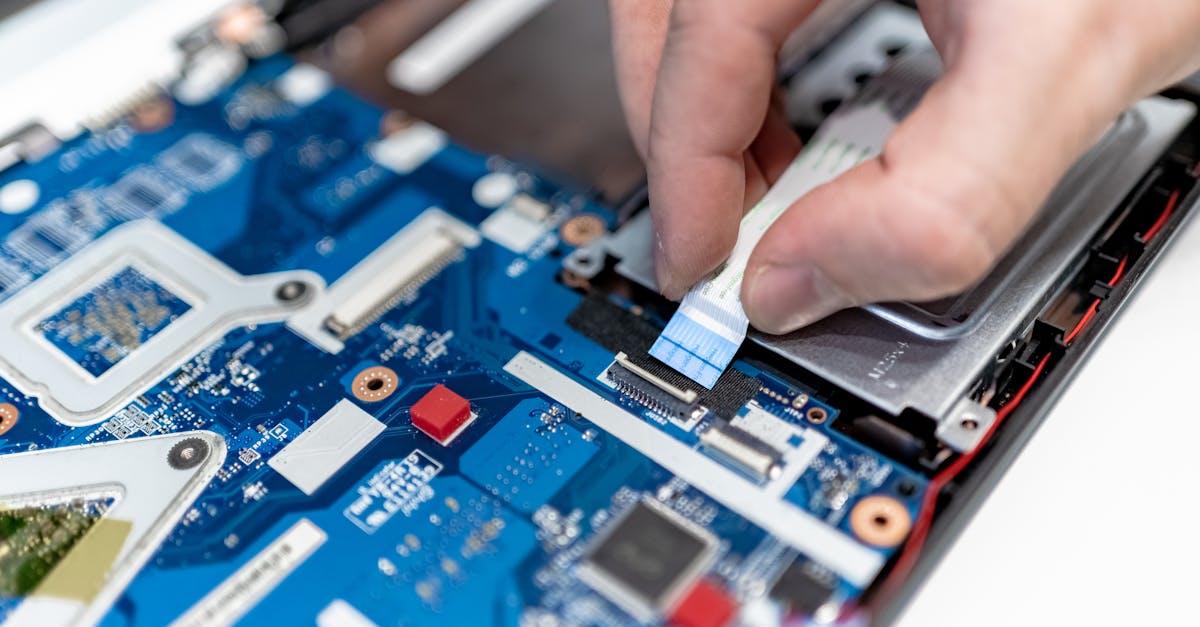
If the basics fail, it is time for the bench. Disassemble carefully, keep screws organized, and photograph each layer as you go.
- Visual inspection. Look for liquid corrosion, burnt components, swollen capacitors, or a scorched charging IC. Liquid damage is often visible long before it is measurable.
- Measure the basics. Check adapter voltage at the jack, then battery voltage, then the main power rail. No voltage where there should be voltage narrows the fault fast.
- Isolate subsystems. Reseat RAM and storage, try a single known-good stick, and disconnect peripherals one at a time. A shorted USB device or bad RAM stick can absolutely stop a POST.
- Check for POST activity. Fan spin plus no display is a different fault class than total silence. Treat them separately.
Quote honestly and set expectations
Once you know the fault class, quote in tiers: cleaning and reseating, part replacement, or board-level repair. Be clear about what you found, what you can fix in-house, and what needs a specialist. If the repair cost approaches the replacement value, say so — customers remember the shop that told them the truth.
Keep the ticket clean from intake to pickup
Every laptop ticket should carry the intake notes, the diagnostic steps you tried, parts used, and the final test result. When a customer comes back three weeks later, that record is the difference between a calm conversation and a dispute. RagoxCell keeps intake photos, diagnostic notes, quotes, and payment status on one ticket so nothing lives on a sticky note.
Final test before pickup
Boot it, check the display, test every port, confirm Wi-Fi and Bluetooth, run a battery health check, and stress it for a few minutes. Then have the customer sign off on the repair. A five-minute test routine prevents most comebacks.
Photo: IT services EU / Pexels
Get repair-shop growth tips in your inbox
Practical guides on pricing, workflow and getting paid. No spam — unsubscribe anytime.