How to Handle a Phone with a Broken Screen Digitizer vs LCD: Diagnosis and Repair Guide for Shops
9/24/2026· 4 min read
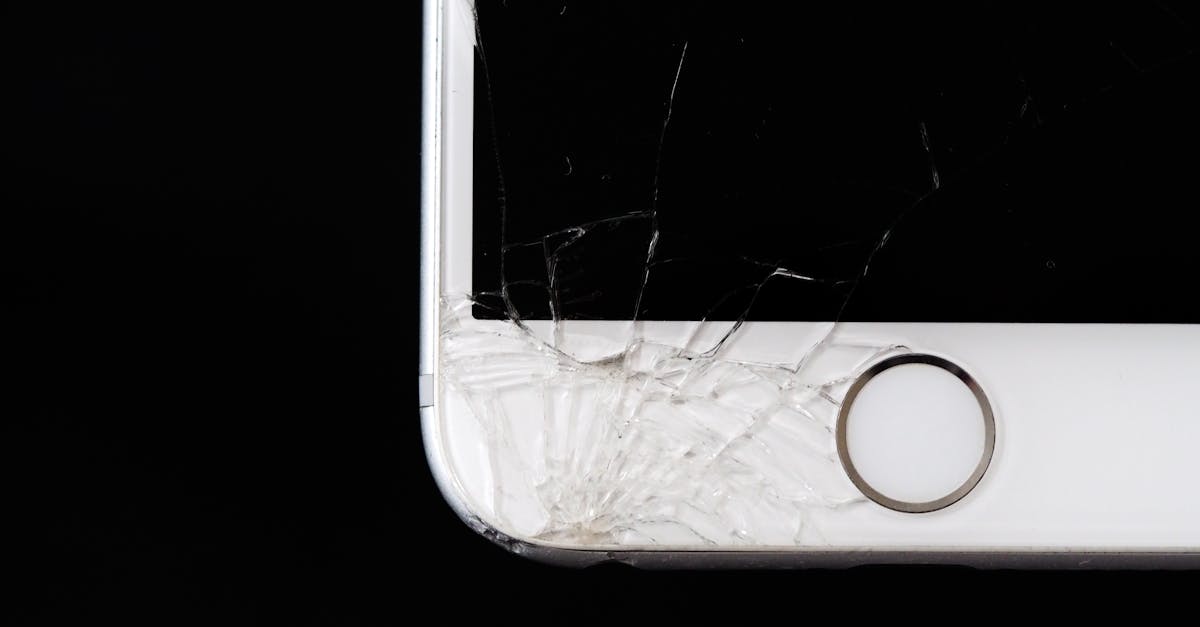
When a customer walks in with a cracked phone, the real question isn't "is the glass broken?" — it's "what actually failed inside?" Telling a digitizer fault apart from an LCD/OLED fault changes your parts cost, your quote, and whether the customer comes back angry. This guide walks through a practical intake and diagnosis flow you can run on any bench.
Process overview
Why the Distinction Matters
Most modern phones bond the cover glass, digitizer (touch layer), and display panel into one assembly. That means a shop often replaces the whole unit — but not always, and not always for the same reason. If you quote a full assembly when only the glass is cracked, you leave money on the table. If you quote glass-only when the panel is damaged, you eat the comeback.
Getting the diagnosis right protects three things: your parts margin, your warranty exposure, and your reputation with walk-in customers who talk.
Step 1: Visual Intake and Documentation
Before touching anything, photograph the device from multiple angles under good light. Note:
- Crack pattern: spiderweb from a single impact point vs hairline cracks across the panel
- Ink spots, black blotches, or discolored bands — these almost always mean panel damage
- Lines running edge to edge (vertical or horizontal) — typically panel or flex damage
- Any separation between glass and frame, which hints at a swollen battery underneath
Log the IMEI or serial, the customer's complaint in their own words, and whether the phone was previously repaired elsewhere. Prior third-party work is a common cause of touch issues that appear weeks after a screen job.
Step 2: Separate Touch Failure from Display Failure
The fastest test is to isolate which layer is misbehaving.
- Display-only fault: The image is distorted, dim, has lines, or shows ghosting, but touch responds normally everywhere.
- Digitizer-only fault: The image is perfect, but touch is dead in a region, jumpy, or registers phantom taps.
- Both failed: Usually impact damage that cracked the panel and severed touch traces at the same time.
Run a touch test that draws a grid across the entire screen. Dead zones near an edge often point to a damaged flex connector rather than the panel itself — a much cheaper fix.
Step 3: Check the Connectors Before You Quote
A surprising share of "dead touch" phones are just a partially seated or corroded display flex. Reseat the connector, inspect for corrosion or bent pins, and retest. If touch returns, you've saved the customer a full assembly and earned trust.
Also check for:
- Pressure damage from a case or screen protector pushing on the panel
- Liquid indicators near the display connector
- Frame bends that stress the panel when the phone is reassembled
Step 4: Quote Honestly and Set Expectations
Give the customer two clear options when both layers are involved: a full assembly replacement with a defined warranty period, or a glass-only repair with the tradeoffs explained. Never promise a glass-only repair will restore a damaged panel.
Document the pre-repair condition in your ticket, including photos and the touch test result. This is the single best defense against a chargeback or a dispute later.
Step 5: Test Before Pickup
After reassembly, verify touch across the full grid, check for uniform brightness, confirm the proximity sensor and front camera still work, and test a call. Log the result against the ticket so the next technician can see exactly what was verified.
Building This Into Your Shop Workflow
A repeatable screen diagnosis flow — intake photos, layer isolation, connector check, honest quote, post-repair test — is what separates shops that absorb comebacks from shops that don't. RagoxCell lets you attach intake photos, parts used, and test results to each repair ticket so the whole history travels with the device.
Photo: energepic.com / Pexels
Get repair-shop growth tips in your inbox
Practical guides on pricing, workflow and getting paid. No spam — unsubscribe anytime.
